To view objects in the groups, follow the steps below:
-
Select the Objects tab on the account settings page. The page shows existing groups, if they were created earlier.
-
Click on the drop-down menu icon next to the group label. The list contains all existing objects.
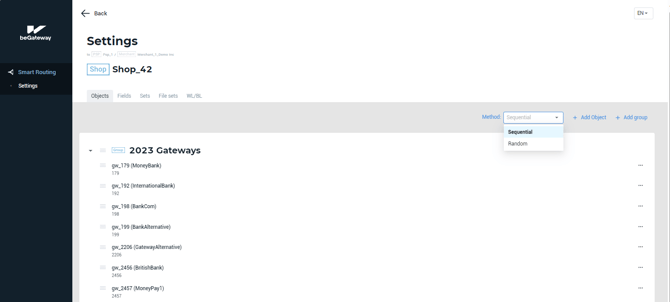
The Method field above the lists of object groups is responsible for the object processing method.
After the application of all rules, Smart Routing system forms a list of objects (gateways) that meet the requirements set by the rules. Then, the transactions are distributed among these objects either according to the sequential object processing method or random object processing method.
By default, sequential object processing method is applied. Alternatively, you can apply Random method by selecting the corresponding option in the Method drop-down menu in the Objects tab.