To add a value to a whitelist/blacklist, perform one of the following actions:
a. Click +Add value in the corresponding attribute line.
b. Click on the menu icon in the corresponding attribute line and select Add value.
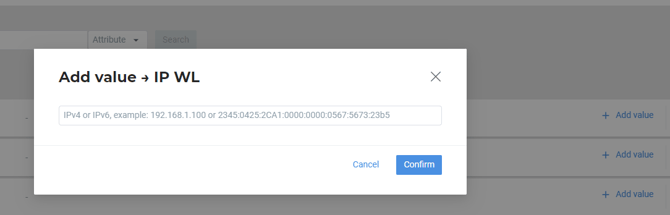
In the opened modal window, insert the value in the format specified in the field and click Confirm.
To add multiple values at a time, use Import list option by selecting the corresponding command in the attribute menu or by clicking Import list in the attribute line.
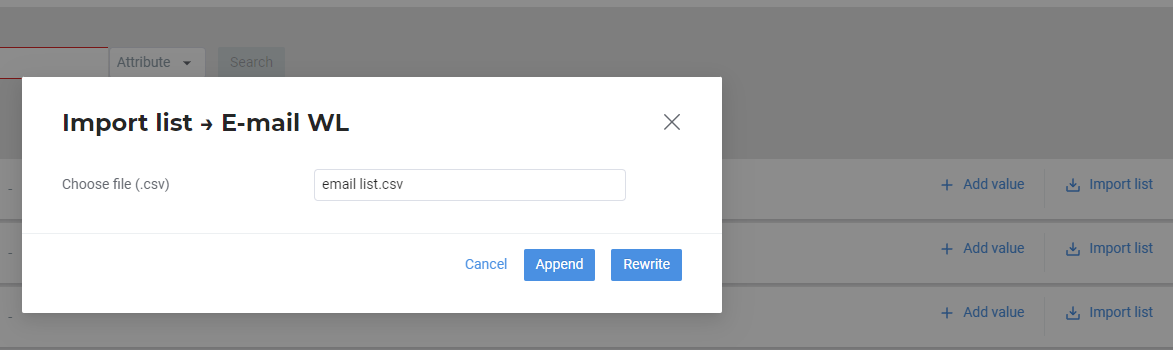
In the opened window, upload a CSV file from your device. Follow by clicking Append to add the imported values to the existing attribute values or Rewrite to remove the existing values when importing the file.
Value number limits for whitelists and blacklists
|
Value type |
Maximum number of values in the list |
Maximum number of values to be added in a single operation |
|---|---|---|
|
IP |
910 000 |
296 000 |
|
|
2 284 000 |
428 000 |
|
Card stamp |
520 000 |
181 000 |
|
Card mask |
3 225 000 |
666 000 |
Each value in the file must be placed on a separate line, the file must not contain a header row.