The new version of the rates service is compatible with the previous version and is available at Account manager > Shops > {Shop name} > View > Gateways > {Gateway name} > Rates v2.
Differences between the two versions:
-
Minimum and maximum commission for percentage rate: you can set minimum and maximum fees in absolute terms. These limits will apply if the fee calculated based on the percentage rate is outside the provided limit values.
For example, if a minimal commission of 2 USD and 1% percentage rate are specified, then 2 USD will be deducted from 100.00 USD, 2 USD from 200.00 USD and 3 USD from 300.00 USD.
-
Separate forms for PSP and bank commissions: rates for PSP and Bank (acquirer) commissions are now set in separate forms on the Add rate page.
-
Reports and Balance: the new rates are reflected in the new version of balances. The new rates may not be displayed correctly in the reports in the backoffice – it is recommended to export transaction data with API.
-
Data export with API: information on the applied fees is available when exporting transaction information with API. See more information in the PSP API documentation (method Export the list of processed transactions).
-
Rate management: new rates can’t be deleted or edited. To change the existing rate, add another rate that will apply starting from the specified date and time.
-
Effective date: new rates cannot be applied retroactively. It is impossible to set up rates for the past dates.
Fee calculation:
-
PSP commission: fixed and percentage-based processing rates charged from the merchant by the payment service provider.
-
Bank commission: fixed and percentage-based processing rates charged from the merchant by the acquirer.
Rolling reserve:
Same as with the previous version rates, it is possible to specify the percentage and period of the rolling reserve, if it is applied.
A rolling reserve: acquirer's security fund to cover possible risks and losses from the merchant's activities. The amount of the rolling reserve is determined as a percentage withheld from the amount of each successful payment transaction (Payment and Capture transactions) for the period set by the acquirer. At the end of the reserve period, the withheld amount is returned to the merchant.
Rates setup:
To set up the rates, on the shop’s page go to the Gateways tab > click on the name of the gateway > go to the Rates v2 > Add a rate > fill in the fields according to the description in the table below > click Apply.
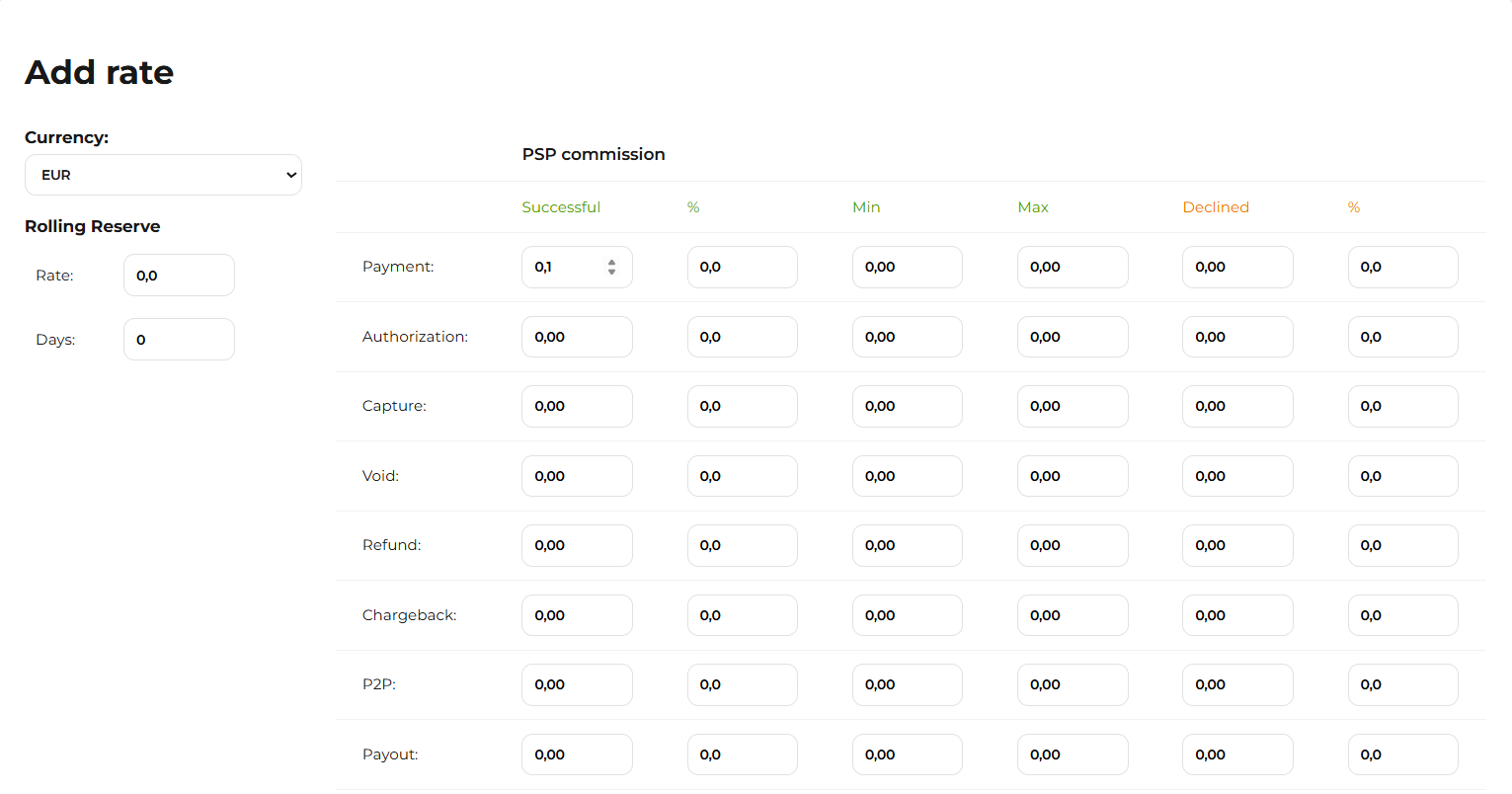 The rate settings page: PSP commission tab
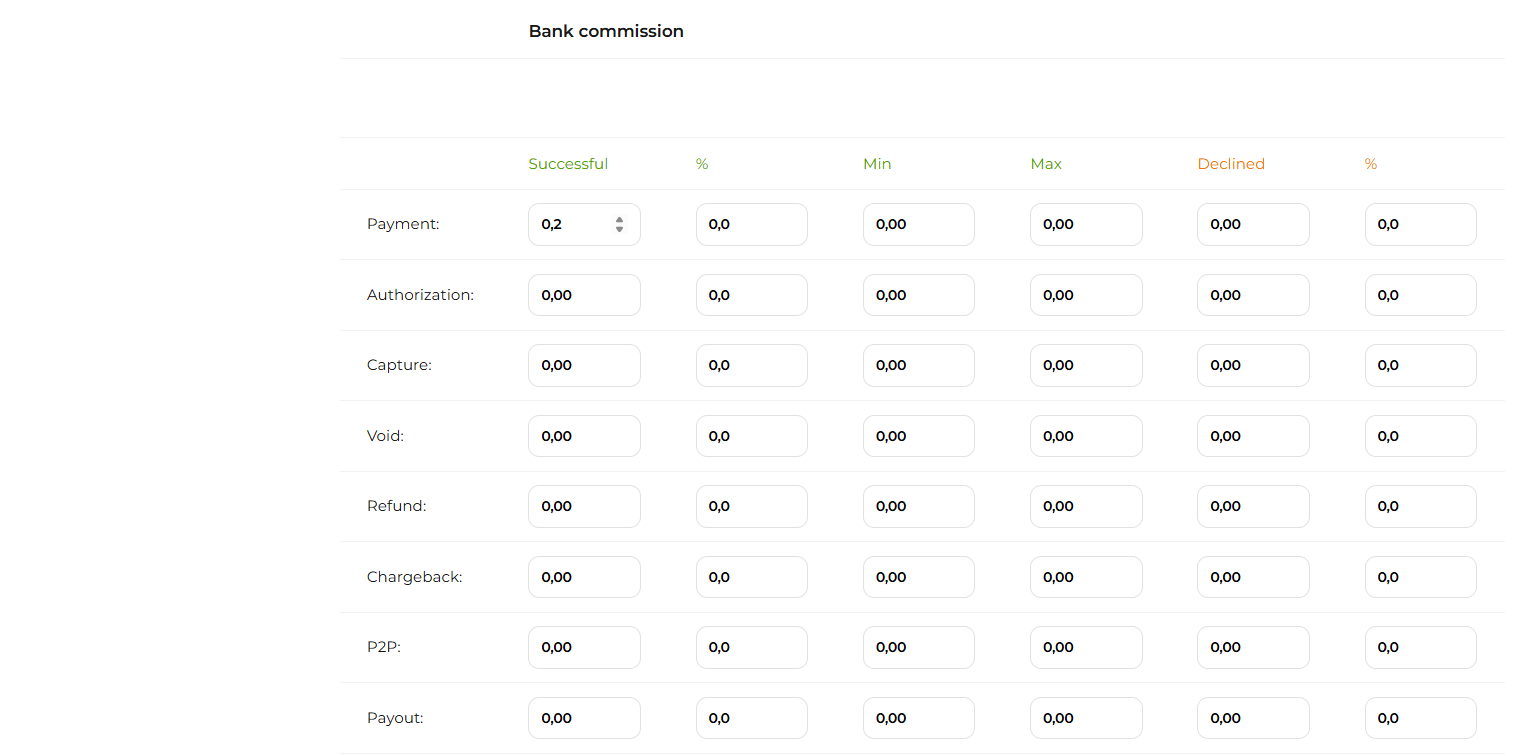
The rate settings page: Bank commission tab

The rates settings page: time picker
Table: Rates setup for payment gateway
|
Parameter |
Description |
|---|---|
|
Currency |
The value of the currency for which you want to set rates. You should specify rates for each active currency. |
|
Rolling reserve |
|
|
Rate |
A percentage of the amount of each successful Payment and Capture transaction that will be held as a rolling reserve. |
|
Days |
The number of days during which the Rolling reserve is held. |
|
PSP commission / Bank commission |
|
|
{Transaction type}
|
Successful: a fixed amount taken per each successful Payment transaction. %: a percentage of the transaction amount taken per each successful transaction. Min: commission that will be applied if the commission amount calculated based on the percentage rate is less than the amount specified in this field. Max: commission that will be applied if the commission amount calculated based on the percentage rate is more than the amount specified in this field. Declined: a fixed amount taken per each declined transaction. %: a percentage of the transaction amount taken per each failed transaction. |
|
|
|
|
Date |
The date and time from which the rates apply to transactions processed in the selected currency through the payment gateway. The rates will be applied starting from the selected date and time according to your PSP time zone. If the time earlier than the current date and time are selected, the rate will be applied from the current date and time. |
If you set both fixed and percentage-based rates for a transaction type, both rates will apply. For example, if 0.10 USD and 3% per Payment transaction are specified, then 3.10 USD will be deducted from 100.00 USD as a commission. Max and min commissions refer only to the % commission.
The new rates can’t be deleted or edited. Only the last created rate is applied.
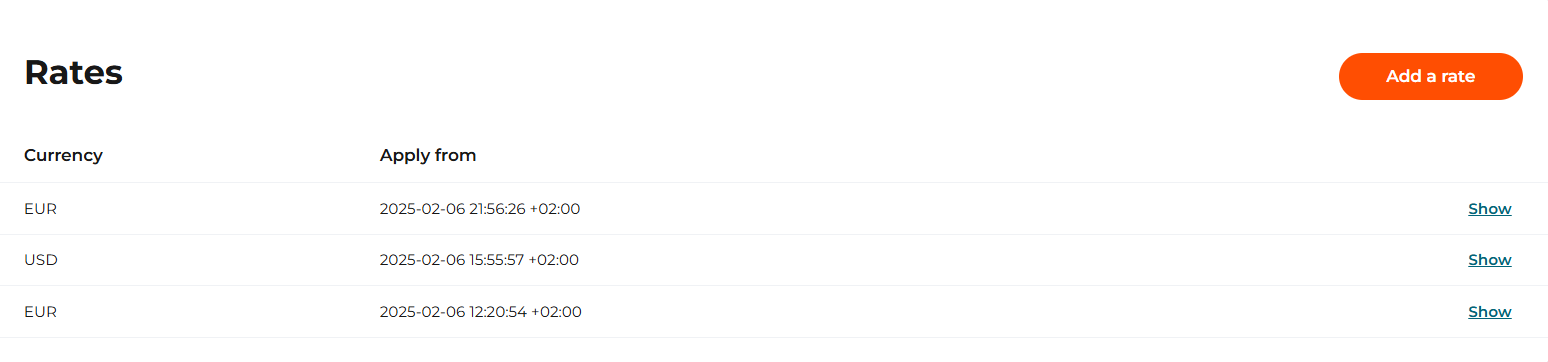
A list of applicable rates