The Samsung Pay service lets merchants' customers pay for orders using a card linked to their accounts in the Samsung Pay app on a smartphone or a wearable device. For payments with Samsung Pay, the service must be activated for both the payment service provider and the merchant.
To enable the service for the payment service provider, follow the steps below:
-
Go to Admin > Settings.
-
Click Edit.
-
In the Samsung Pay settings section, enter the following parameters provided to your company by Samsung:
-
Default ID: an identifier of your company;
-
Samsung Pay test key: a private test key to authorize test requests;
-
Samsung Pay production key: a private key to authorize requests in the production mode.
-
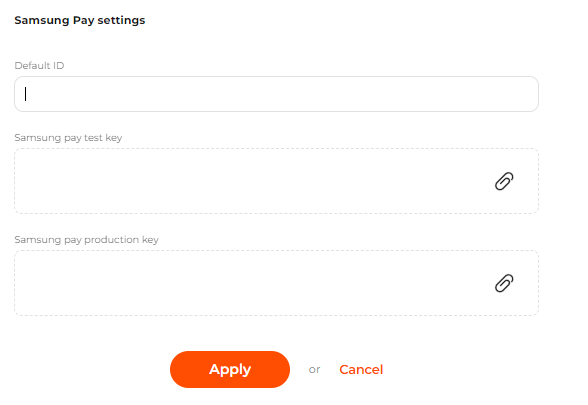 The Samsung Pay settings on the Settings tab page
To enable the service to a merchant, follow the steps below:
-
Go to Account Manager > Shops.
-
Go to the line of the shop in the list. If required, use Search for a merchant’s shop.
-
Click View to go to the shop settings page.
-
Go to the Gateways tab.
-
Click Edit in the line of the acquirer who provided the required payment gateway.
-
Select Samsung Pay as a supported brand.
-
Click Apply to save your changes or cancel them.
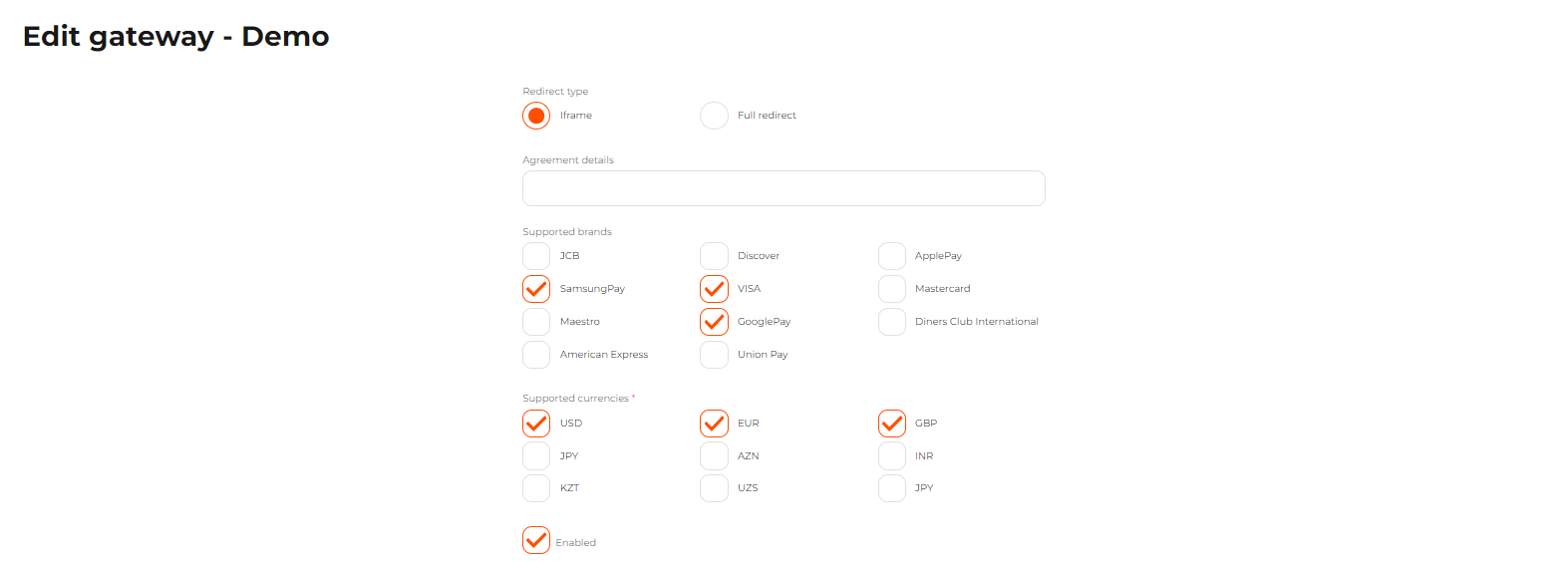 The Edit gateway page