To change the limit amount or limit activation status, follow the steps below:
-
Go to Account Manager > Shops.
-
Search for a shop for which you’d like to set payout limits. Refer to Search for a merchant’s shop, if needed.
-
Click View in the shop row.
-
Go to the Gateways tab on the shop information page.
-
Click the name of the acquirer of the required payment gateway. You will set limits on the channel linked to this gateway.
-
Go to the Channels tab on the payment gateway status page. The system will display a list of channels connected to the gateway.
-
Click Limits in the channel row.
-
Click Change for the required limit on the page that opens.
-
Fill in the form to edit the limit as described in the table below.
-
Click Apply to save your changes or cancel them.
Table: Payout limit parameters
|
Parameter |
Description |
Notes |
|---|---|---|
|
Type* |
A type of the payout limit. Possible values:
|
The week is determined to start on Monday. |
|
Amount* |
The maximum total amount of payouts to be processed under the limit. |
|
|
Active |
The activation status of the payout limit. Set active by default. |
Select the checkbox to activate the limit. |
|
*mandatory field |
||
.png?hsLang=en) The Change text button on the page with the list of payout limits
The Change text button on the page with the list of payout limits
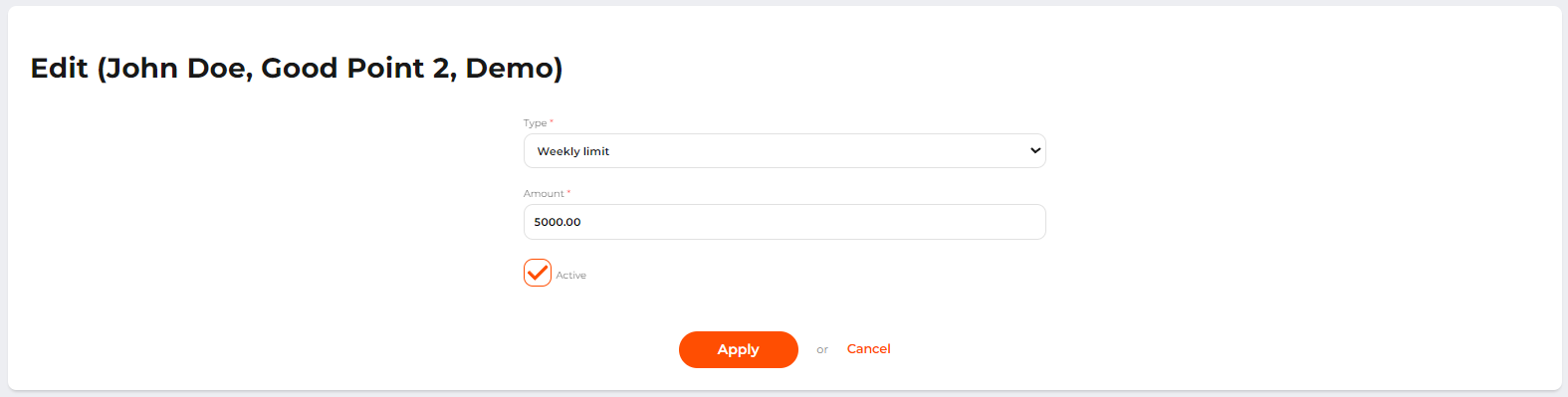 The form to edit the payout limit