The service is activated for PSP on request.
The service enables payment card PANs to be converted into stamps, which serve as a secure representation of card data. The stamps can then be used to create File Sets in the Smart Routing service.
Stamps can be generated either from a PAN only or from a combination of PAN + card expiry date).
Using PAN + expiry date provides greater flexibility when configuring rules in the Smart Routing service, such as rules that reject transactions for a card after a specified number of failed transactions. When the PAN + expiry date combination is used, a reissued card with the same PAN but a different expiry date will not be subject to restrictions previously applied to the old card with the same PAN.
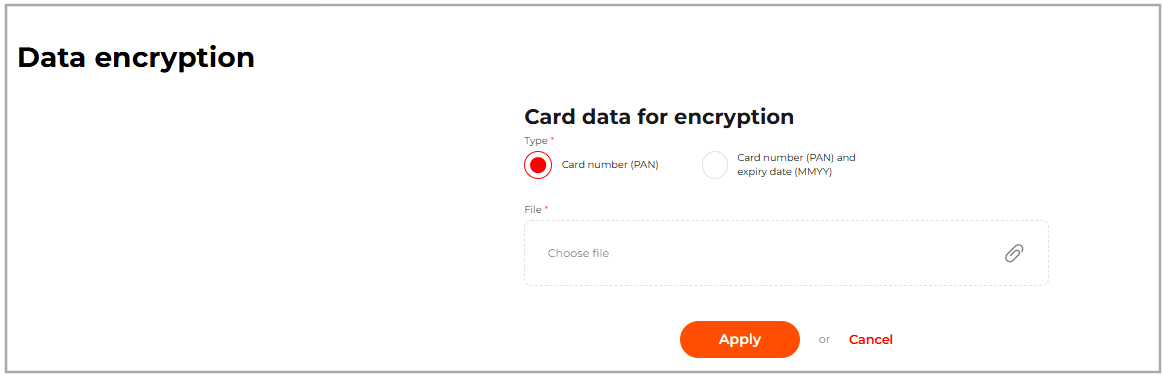 Data encryption tab
To obtain a CSV file with the card stamps, go to Administrator > Data encryption, fill in the fields according to the table below and click Apply. If the uploaded file contains no validation errors, a file with the stamps will be downloaded to your device. The file name will follow one of the following formats:
- for Card number (PAN): card_stamp_{YYYYMMDDHHMM}.csv
- for Card number (PAN) and expiry date (MMYY): card_stamp_expdate_{YYYYMMDDHHMM}.csv
| Parameter | Description |
| Type |
|
| File |
File in CSV format with the data in the following format:
The maximum file size is 1 MB. The file must contain no more than 30,000 rows. |
 File containing stamps (PAN + expiry date)