The Currency Converter lets you define the transaction amount equivalent in the required currency based on the currency exchange rate provided by the exchange rate service of your choice (for example, Open Exchange Rates).
The converted amount will be available to the customer in the webhook notification, in the report and on the Transaction details page.
The converted amount can be then used in the request to the acquirer (provided the Use for Processing option is turned on in the converter settings). This way, the converter lets the merchant set a price in a currency that is different from the ones supported by their acquirer.
To add the converter, go to the Converter tab in the gateway settings: Account Manager > Shops > {Shop name} > View > Gateways > {Gateway name} > Converter > New. Fill in the fields according to the table below.
The converter is available for card as well as for APM (alternative payment method) gateways.
|
Parameter |
Description |
|---|---|
|
Exchange rate source |
Exchange rate source, for example, Open Exchange Rates. The list includes the exchange rate courses available for the PSP. One exchange rate source can be added per gateway. |
|
Source currency |
Base currency of the exchange rate source, the currency used to represent the rate in the exchange rate source. |
|
Multiplier rate, % |
Exchange rate multiplier rate as a percentage. The percent by which the value of the quote currency will be multiplied. Allowed range: (-100..0) < {multiplier_rate} < (0..100]. Minimum value: 0.01 or -0.01. |
|
Hide multiplier |
If selected, the webhook notification for the transaction won’t display the |
|
Use for Processing |
If selected, the quote currency of the exchange rate and the converted amount will be used in the request to the acquirer as the transaction currency and transaction amount respectively. |
|
Convert to currency |
If Use for Processing options is selected, the available quote currencies are the ones available in the gateway. If Use for Processing option is not selected, the available quote currencies are the ones available in the exchange rate source. |
|
Convert from currency |
If Use for Processing options is selected, the available source currencies are the ones available in the exchange rate source. If Use for Processing option is not selected, the available source currencies are the ones available in the gateway. |
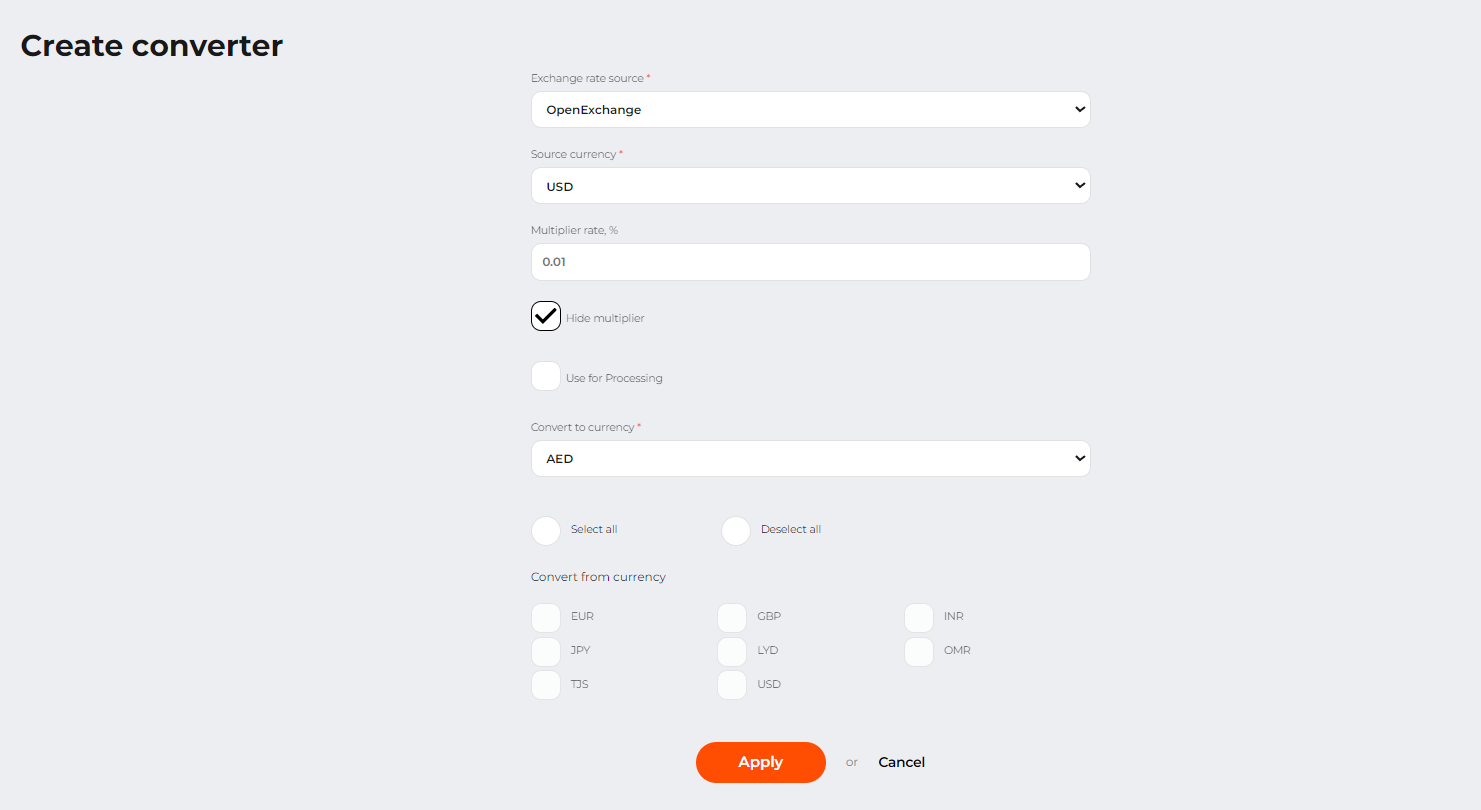 Converter creation page
The specified settings will be applied to the transactions of payment, authorization and payout types as well as to their child transactions: refund, capture and void.
The exchange rate in the parent transactions is used in the corresponding child transactions.
Transactions that have been processed using the conversion service have a special status with a graphical indicator  . The detailed transaction information contains a reference to the conversion rate and the amount in the converted currency.
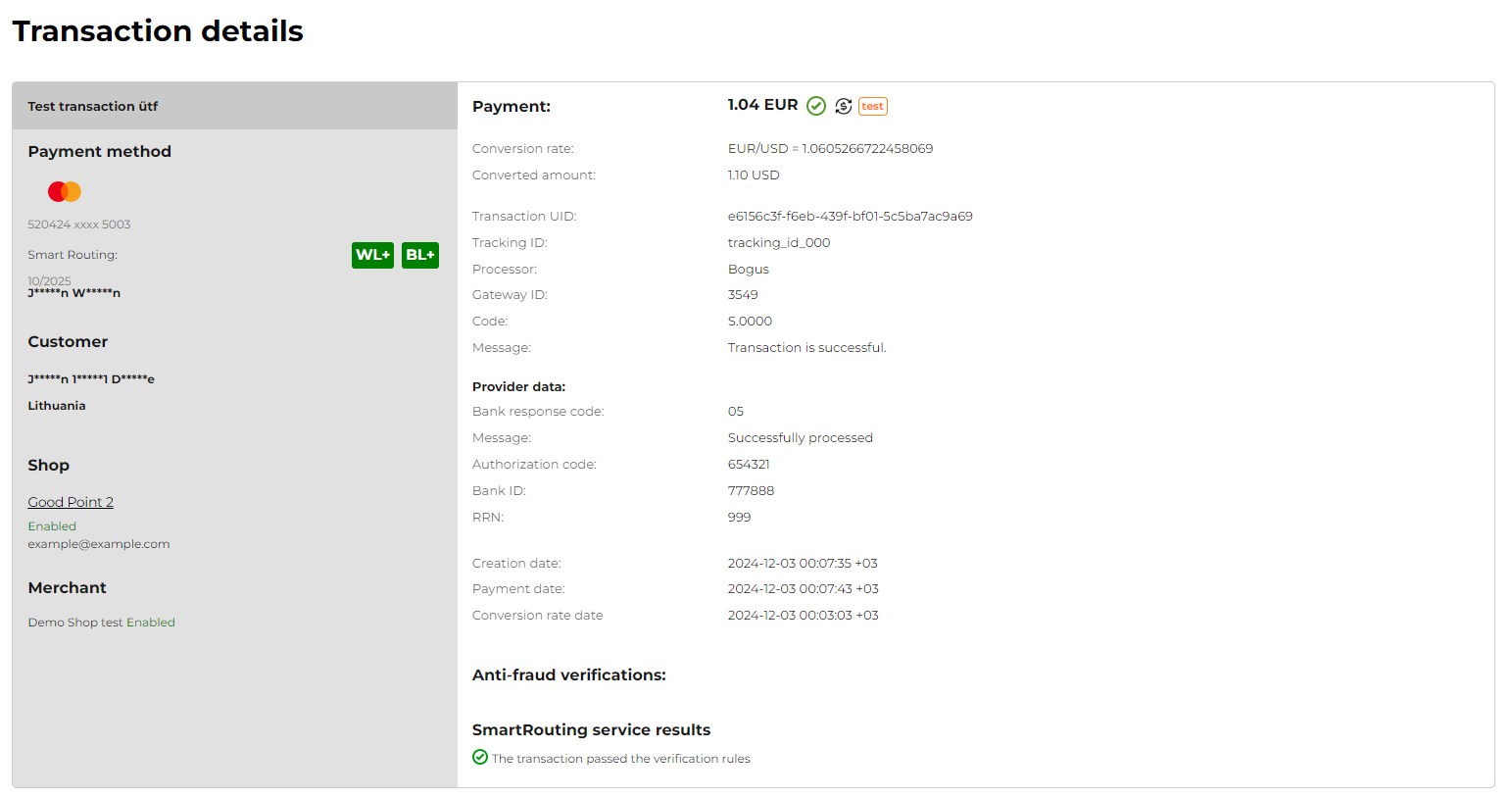 Transaction details page for the transaction for which the conversion rate was calculated.