The service is activated for PSP on request.
Cascading payments h2h work the following way: provided Enable cascading payments (h2h) is activated for the shop and the shop has multiple activated gateways for accepting card payments – if there is a failed payment attempt on one of the gateways, the system will automatically try to process the payment using another available gateway. The merchant will receive a webhook notification (and the customer will receive an email) only for the final transaction: either a successful one or the last unsuccessful one if all attempts resulted in a failed status.
In the back office, there will be information on all transaction attempts. Additionally, for users with the Support manager role on the transaction details page for all transactions processed using the Cascading payments h2h service there will be an additional transaction identifier – Binding ID.
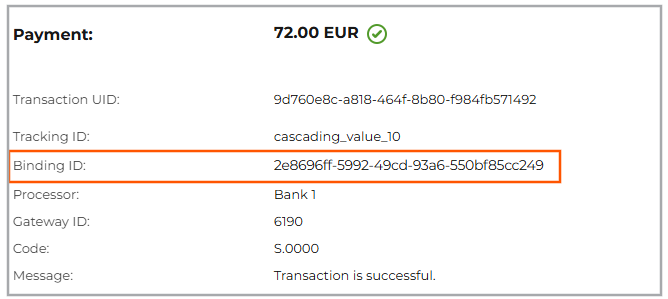 Binding ID on the transaction details page
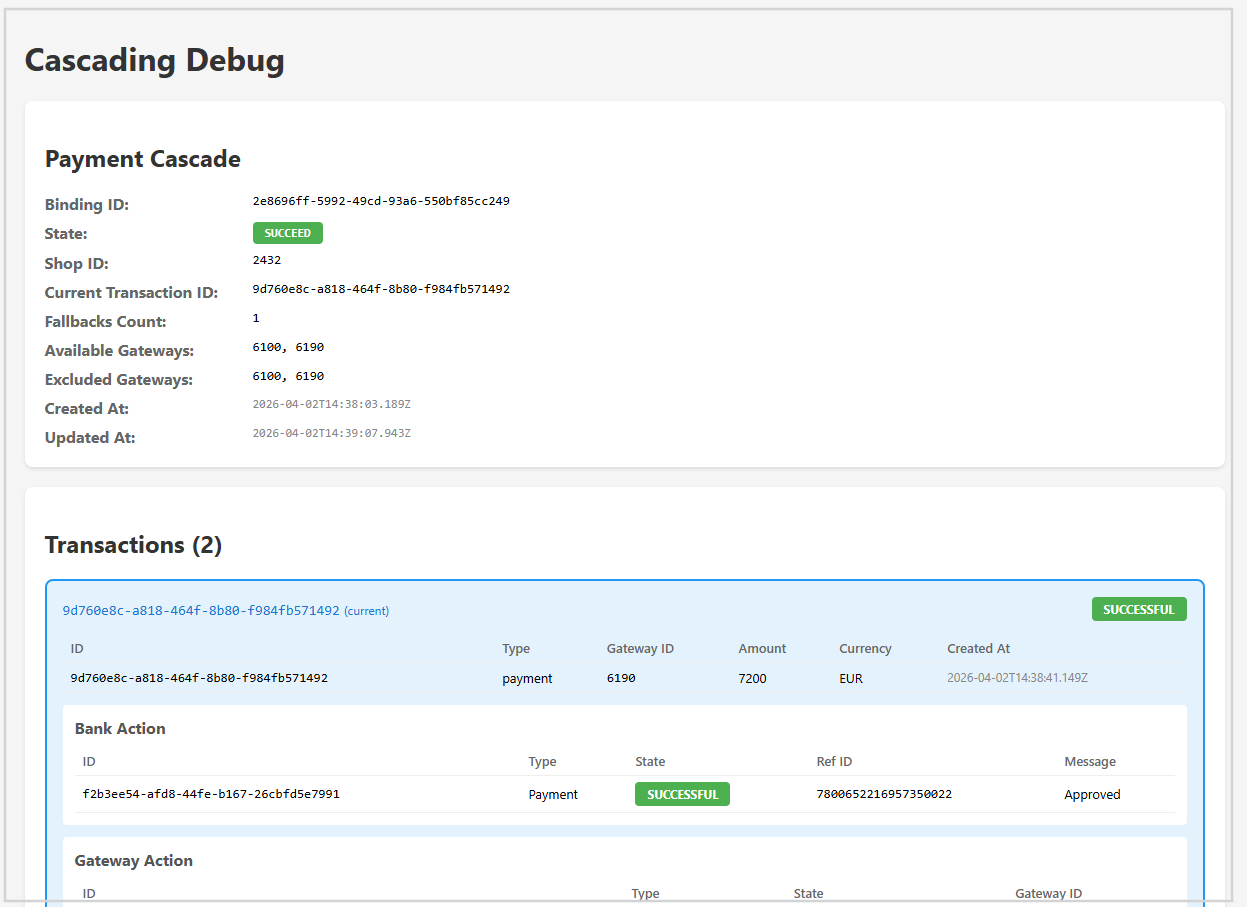
Clicking the Binding ID value opens a page with the detailed information on all related payment retries.
If you need to set up the priority of gateways, you need to create a flow of the Object type with the Sequential method, then add rules to this flow for each available gateway (you can use a simple condition, for example, if the transaction type is payment, use gateway Bank 1. You can use more complex conditions if necessary). You then need to rearrange the rules in the flow according to the gateway priority.
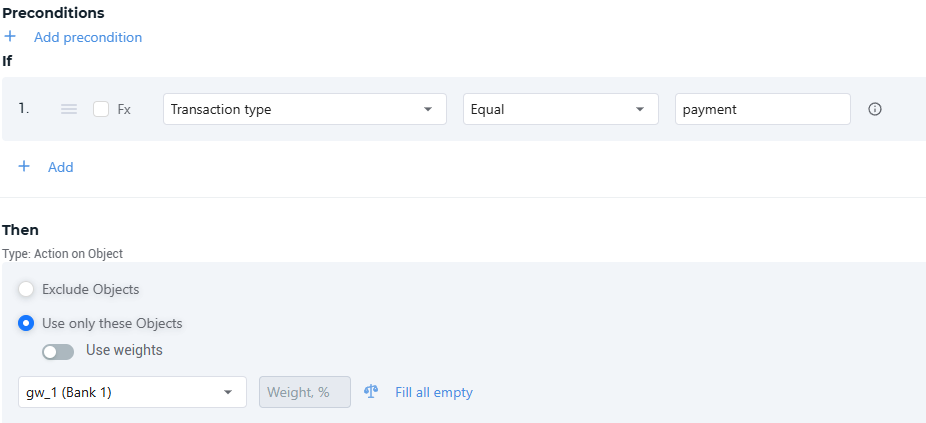 Example of a simple rule in Smart Routing to use in the Object flow with the Sequential method to prioritize gateways for cascading payments
The service can be used for card transactions of the payment type (including recurring payments) with or without 3-D Secure verification. Note that the ACS form will be displayed to the customer on each payment attempt if the 3-D Secure verification is required by the provider.