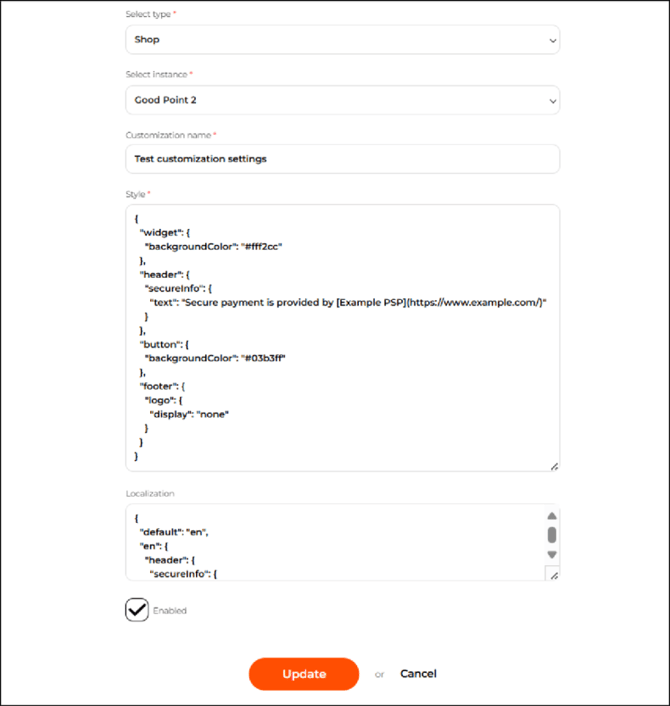
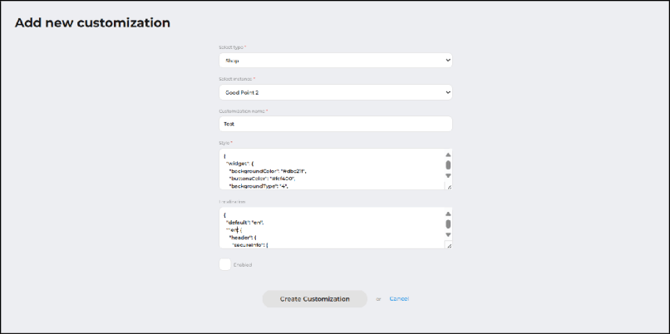
To create a new set of widget customization settings go to Admin > Widget customizations > Add new customization.
Fill in the fields, as described in the table below.
|
Field |
Description |
|
Select type* |
Object type, to which the customization settings will be applied. Possible values: Shop; Merchant; Psp. |
|
Select instanc e* |
Select the object to which the settings will be applied. The drop-down menu will display the list of the available shops/merchants or PSPs depending on the object type selected in the Select type field. |
|
Customi zation name* |
The name of the set of customization settings. |
|
Style* |
The code with style settings for the payment page/widget. Insert the code according to the example below, customize the required parameters (see the description of the parameters in the table) and remove the objects for the elements that don’t need to be customized. |
|
Localiza tion |
The code with the localization settings for the payment page/widget. Insert the code according to the example below and modify the texts according to your preferences. Add the objects for additional languages if necessary. |
|
Enabled |
Select to activate the settings. |
|
*required |
|
Example of filling in the Style field
{
"widget": {
"backgroundColor": "#dbc21f", "buttonsColor": "#fcf400", "backgroundType": "4",
"backgroundCustomLeft": "PD94bWwgdmVyc2lvbj0iMS4wIiBzdGFuZGFsb25lPSJubyI/ Pgo8IURPQ1RZUEUgc3ZnIFBVQkxJQyAiLS8vVzNDLy9EVEQgU1ZHIDIwMDEwOTA0Ly9FTiIKICJodHRwOi8vd
3d3LnczLm9...", "fontFamily": "fantasy", "color": "#ff0000",
"fontSize": "",
"fontSmooth": "",
"fontStyle": "",
"fontVariant": "",
"fontWeight": "",
"lineHeight": "",
"letterSpacing": "",
"textAlign": "", "textDecoration": "", "textShadow": "", "textTransform": ""
},
"header": {
"shop": {
"margin": "0px 0px 0px 0px"
},
"close": {
"margin": "0px 0px 0px 0px"
},
"secureInfo": {
"margin": "0px 0px 0px 0px",
"text": "Secure payment is provided by [PSP](https://example.com/terms)"
}
},
"price": {
"margin": "0px 0px 0px 0px"
},
"description": {
"margin": "0px 0px 0px 0px"
},
"button": { "borderRadius": "22px",
"backgroundColor": "#03b3ff", "card": {
"borderRadius": "22px", "backgroundColor": "#ffffff", "text": "Pay with card {amount}", "fontFamily": "roboto",
"color": "#6f7d79",
"fontSize": "",
"fontSmooth": "",
"fontStyle": "",
"fontVariant": "",
"fontWeight": "",
"lineHeight": "",
"letterSpacing": "",
"textAlign": "", "textDecoration": "", "textShadow": "", "textTransform": ""
},
"brands": { "borderRadius": "22px",
"backgroundColor": "#cf8608", "text": "Pay {amount}", "fontFamily": "consolas", "color": "#2f2cd1",
"fontSize": "",
"fontSmooth": "",
"fontStyle": "",
"fontVariant": "",
"fontWeight": "",
"lineHeight": "",
"letterSpacing": "",
"textAlign": "", "textDecoration": "", "textShadow": "", "textTransform": ""
},
"pay": {
"borderRadius": "22px", "backgroundColor": "#24ff03", "text": "Pay {amount}",
"fontFamily": "calibri", "color": "#bc4ce5",
"fontSize": "",
"fontSmooth": "",
"fontStyle": "",
"fontVariant": "",
"fontWeight": "",
"lineHeight": "",
"letterSpacing": "",
"textAlign": "", "textDecoration": "", "textShadow": "", "textTransform": ""
},
"receipt": {
"display": "none"
}
},
"inputs": { "backgroundColor": "", "holder": {
"backgroundColor": ""
},
"cvc": {
"type": "password", "backgroundColor": ""
}
},
"cardFace": { "backgroundColor": "",
"backgroundImage": "PD94bWwgdmVyc2lvbj0iMS4wIiBzdGFuZGFsb25lPSJubyI/ Pgo8IURPQ1RZUEUgc3ZnIFBVQkxJQyAiLS8vVzNDLy9EVEQgU1ZHIDIwMDEwOTA0Ly9FTiIKICJodHRwOi8vd 3d3LnczLm9yZy9UUi8yMDAxL1JFQy1TVkctMjAwMTA5MDQvRFREL3N2ZzEwLmR0ZCI...",
"backgroundPosition": "center", "backgroundSize": "400px 300px", "backgroundRepeat": "repeat"
},
"footer": { "logo": {}, "secureInfo": {
"margin": "0px 0px 0px 0px",
"text": "Secure payment is provided by [PSP](https://example.com/terms)"
},
"additional_logos": [
"iVBORw0KGgoAAAANSUhEUgAADwAAAAhwCAYAAACQvstyAAAACXBIWXMAABYlAAAWJQFJUiTwAAAAAXNSR0IA rs4c6QAAAARnQU1BAACxjwv8YQU...",
"iVBORw0KGgoAAAANSUhEUgAAAMgAAABkCAYAAADDhn8LAAAACXBIWXMAAAsTAAALEwEA..."
]
}
}
Note that secureInfo is placed in the header of the payment page and in the footer of the widget. If you need to customize this element for both the payment page and the widget, add secureInfo object to both footer {} and header {}.
Example of the payment page with the customized background color, font and secureInfo text: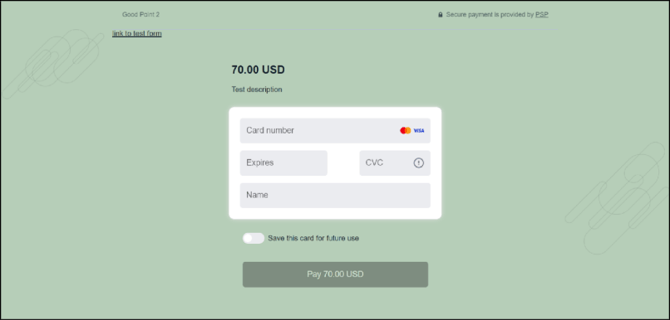
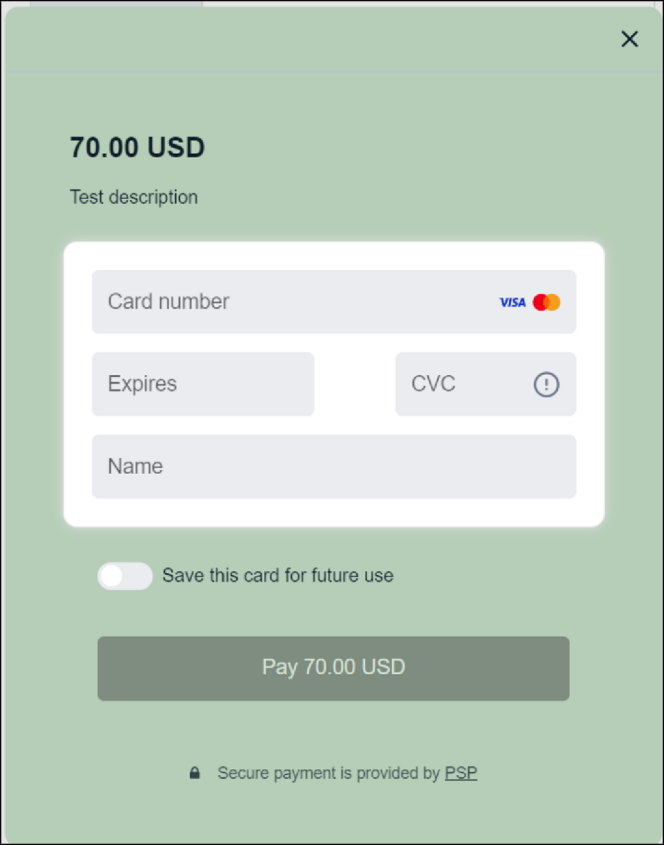
Example of the widget with the customized background color, font and secureInfo text: