To upload a file with a card mask or email list, follow the steps below:
-
Go to Account Manager > Shops.
-
Go to the line of the shop in the list. If required, use Search for a merchant’s shop.
-
Click View to go to the shop settings page.
-
Go to the W/B list tab.
-
Upload a CSV file with the required card masks or emails.
-
Choose a payment gateway for which the to-be-uploaded white list with card masks or emails would be applied.
-
Click Apply to save your changes.
The uploaded credit card mask or email list is added as a white list for the selected payment gateway. With no gateway picked, the transactions will be processed through any of the gateways activated for the shop.
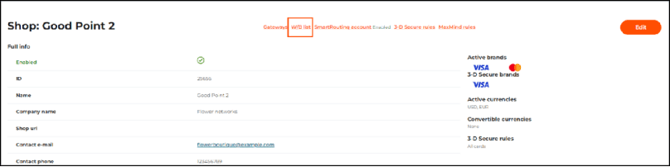
The W/B list tab on the Shop editing page

The White/Black list management page