To add a new shop to the merchant account, follow the steps below:
- Go to Account Manager >
- Find a merchant If necessary, see Search for a merchant account.
- Click Add shop in the line of the required
- Fill in the form that opens, as described in the table of shop parameters in Edit shop details and settings.
- Select Apply to save the changes or cancel
In case of a successful shop registration, you will see a new shop in the list of shop accounts.
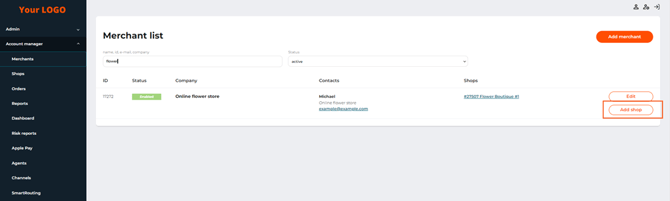 The Add shop button on the Merchants tab page