To create a new channel, follow the steps:
-
Go to Account Manager > Channels.
-
Select Add channel
-
Set channel parameters as described in the table below.
-
Select Apply to save the settings, or cancel them.
Table: Payout channel parameters
|
Parameter |
Description |
Notes |
|---|---|---|
|
Name* |
The channel name or a brief channel description. |
Maximum number of symbols is 50. |
|
Currency* |
The currency supported by the payment gateway for payout transactions. |
The data format is a three-letter alphabetic currency code according to ISO - 4217. |
|
Gateway type* |
The acquiring bank or payment service provider that will process payout transactions. |
|
|
*a mandatory field |
||
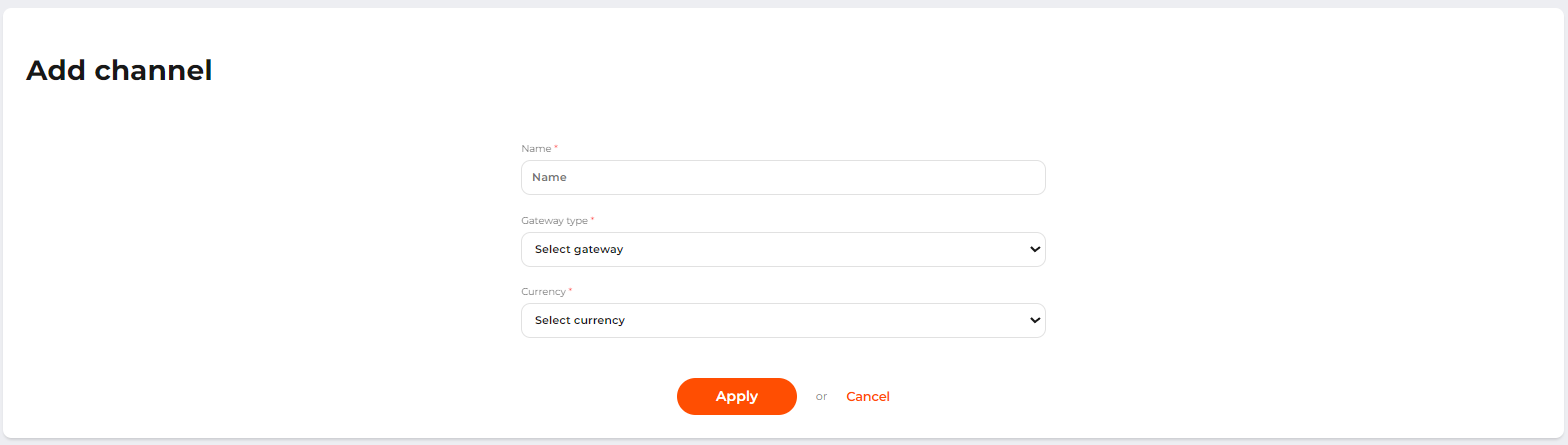 The Add channel page